
Tools ‘n’ Apps CV Pro
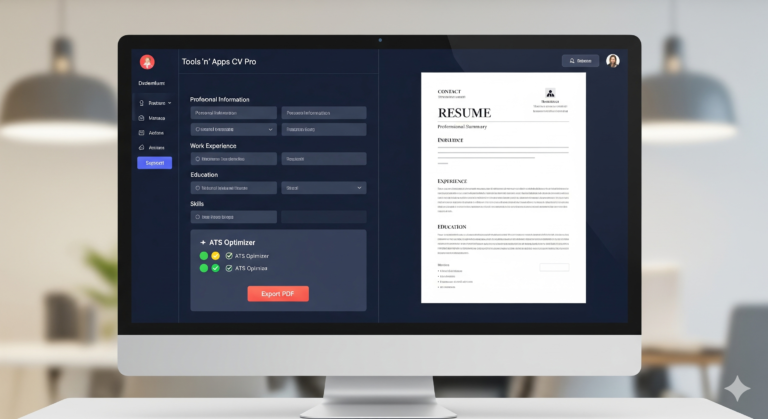
Tools ‘n’ Apps CV Pro is a sophisticated, single-page web application designed to provide a premium, “What You See Is What You Get” (WYSIWYG) experience for creating professional resumes. It replicates the functionality of high-end SaaS platforms by combining interactive form-based data entry with a real-time, high-fidelity document preview.
Live Template Switching: Supports four distinct architectural styles:
Modern: Professional and balanced with navy accents.
Minimal: Clean, centered, and high on white space.
Executive: Traditional serif-accented design for corporate roles.
Creative: A split-column layout with a deep-colored sidebar for high visual impact.
Typography Engine: Users can toggle between three curated font pairings: Modern Sans (Inter), Classic Serif (Libre Baskerville), and Technical Mono (Fira Code).
Dynamic Customization: A global color picker allows users to change the primary brand color of the CV instantly.
Who is Tools ‘n’ Apps CV Pro For?
Tools ‘n’ Apps CV Pro is engineered for a diverse range of professionals who require a high-impact, ATS-optimized resume without the privacy concerns of traditional cloud-based builders.
Tech & IT Professionals: Specifically built with a Projects section and Technical Mono font options, it is the ideal choice for software engineers, data scientists, and developers looking to highlight GitHub repositories and technical stacks.
Executive & Management Candidates: The Executive template and curated Serif typography cater to senior leaders who need a sophisticated, high-density layout that conveys authority.
Privacy-Conscious Job Seekers: Unlike most CV makers, this app stores data locally. It is perfect for users who want a no-login resume builder that ensures personal data never leaves their own browser.
Creative Industry Talents: The Creative template provides the visual flair needed for designers, marketers, and artists, featuring a modern split-layout and professional skill proficiency dots.
Entry-Level & Career Changers: The built-in ATS Optimizer acts as a mentor, guiding users to fill essential sections like the Professional Summary and Key Skills to ensure they pass automated hiring filters.
How to Use Tools ‘n’ Apps CV Pro
Creating a professional, print-ready resume is a streamlined, four-step process:
Input Your Professional Data: Navigate through the sidebar sections (Personal, Experience, Education, etc.). Fill in the intuitive forms. Watch the ATS Optimizer in the sidebar; it will check off requirements as you go, ensuring your CV is complete.
Visual Customization: Use the header controls to tailor the look. Choose a Template (Modern, Minimal, Exec, or Creative), select a Font Pairing, and use the Color Picker to match the theme to your personal brand.
Live Content Optimization: Edit section titles directly (e.g., change “Projects” to “Volunteer Experience”) and add Skill Proficiency ratings (1-5 scale) to give recruiters a clear picture of your expertise.
Save and Export: * Backup: Click Backup to download a
.jsonfile of your data. You can re-upload this later to edit your CV on any device.Download PDF: Click Export PDF to generate a high-definition, A4-formatted document ready for job applications.
Is Tools ‘n’ Apps CV Pro free to use?
Yes. Tools ‘n’ Apps CV Pro is a fully functional, free resume builder. There are no hidden fees, no subscriptions, and no “premium” paywalls for PDF exports.
Is my resume ATS-friendly?
Absolutely. The application focuses on ATS-friendly layouts and standard document structures. The built-in ATS Optimizer monitors your progress in real-time to ensure you include the specific keywords and sections required by modern recruitment software.
Where is my data stored?
Your privacy is our priority. All data is stored locally in your browser’s cache (LocalStorage). No personal information is ever sent to a server. For long-term storage, we recommend using the JSON Backup feature.
Can I save my progress and finish later?
Yes. The app features Auto-Save functionality. As long as you use the same browser and don’t clear your cache, your data will be there when you return. For absolute safety, always download a Backup JSON file before closing your session.
Does the PDF export work on mobile devices?
Yes. The app is built with Tailwind CSS, making the interface responsive. You can build and export your professional resume directly from your smartphone or tablet.
Can I change the section headers?
Yes. Tools ‘n’ Apps CV Pro allows for custom section titles. You can rename sections like “Projects” or “Certifications” to better fit your specific career path, such as “Publications,” “Awards,” or “Languages.”