
Tools ‘n’ Apps BioLink Studio
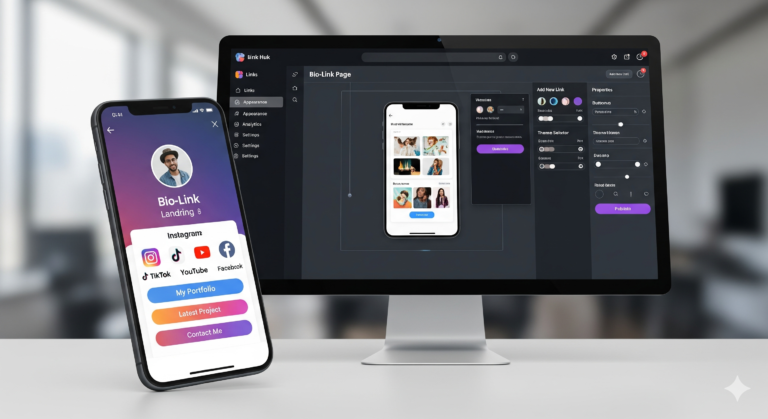
Tools ‘n’ Apps BioLink Studio is a professional-grade, “Link-in-Bio” landing page creator that runs entirely in the browser. It allows users to build a centralized hub for their social media, professional contact info, and custom links without needing an account
Identity & Contact Management
Profile Branding: Users can set a Display Name and a short bio catchphrase.
Business Connectivity: Dedicated fields for Business Email and Phone Number, which appear as clean, professional metadata on the live page.
Visual Assets: Supports profile photo or company logo uploads via a local file reader that crops the image into a circular preview.
Dynamic Social Link Library
Quick Add Platforms: Features a “one-click” library for major platforms including Instagram, X (Twitter), YouTube, TikTok, LinkedIn, Pinterest, Twitch, Threads, Facebook, Discord, Snapchat, and GitHub.
Customization: Every link can have a custom label and URL, with a dedicated delete function for easy management.
Who is it for?
This app is designed for anyone needing a high-performance, professional landing page that consolidates their digital footprint.
Content Creators & Influencers: Perfect for adding a single link in Instagram, TikTok, or X (Twitter) bios to redirect fans to YouTube, Twitch, or Patreon.
Entrepreneurs & Small Business Owners: Create a digital business card that includes contact info, company logos, and service links.
Freelancers & Artists: Showcase portfolios, GitHub repositories, or Pinterest boards with a bespoke aesthetic.
Agencies: A fast tool to generate lightweight, SEO-friendly landing pages for clients without the overhead of a CMS.
Non-Tech Users: Anyone who wants a “link-in-bio” solution without monthly subscriptions or complex database setups.
How to Use BioLink Studio
1. Define Your Identity
Fill in your Display Name and Bio Description. Use the Business Contact fields to provide an email and phone number. This information is the first thing visitors (and search engines) see.
2. Add Your Social Links
Use the Quick Add buttons to instantly create rows for platforms like YouTube or LinkedIn. Customize the labels (e.g., “Watch my latest video”) to be more engaging than just the platform name.
3. Customize Your Aesthetic
Choose a Design Preset for an instant professional look, or fine-tune every detail:
Typography: Select a font that matches your brand voice (e.g., “Luxury” for high-end services, “Tech” for developers).
Background: Use gradients for modern vibes or upload a brand-specific image.
Buttons: Adjust the corner radius for a “bubbly” or “sharp” professional look.
4. Optimize for Search (SEO/AEO)
Navigate to the Export & SEO Settings. Enter a descriptive Meta Title and Description. This ensures that when you share your link, it appears with the correct text and summary in Google or on social media cards.
5. Export and Go Live
Download Live Page: Save an
index.htmlfile to upload to any hosting provider.Copy HTML: Quickly grab the code to paste into developers’ environments.
Export for Google Docs: Save a version to your cloud storage for easy sharing or internal documentation.
Frequently Asked Questions (FAQs)
How does this app help my Google search ranking (SEO)?
The app allows you to define Meta Titles and Meta Descriptions. These are crucial signals that tell search engines what your page is about. Because the exported file is pure, lightweight HTML, it loads almost instantly—a major ranking factor for Google.
Is the page optimized for AI Answer Engines (AEO)?
Yes. AI crawlers (like those for ChatGPT Search or Perplexity) prefer clean, semantic data structures. This app generates structured text where your name, contact info, and links are clearly defined, making it easier for AI to provide your details as a direct answer to user queries.
Why should I care about the “Meta Description”?
When your bio link is shared on platforms like X or LinkedIn, the Meta Description is the text that appears under your name. A well-written description increases the “Click-Through Rate” (CTR), driving more traffic to your links.
Does this app use cookies or tracking?
No. One of the biggest SEO/Privacy benefits is the lack of third-party tracking scripts. This keeps your “privacy score” high and ensures your site isn’t slowed down by heavy ad-trackers.
Is the final page mobile-responsive?
Absolutely. Modern SEO heavily favors “Mobile-First” indexing. The exported page is designed to look like a native app on mobile devices while maintaining a professional framed look on desktops.