Smart PDF Compressor
Secure. Private. Lightning Fast.
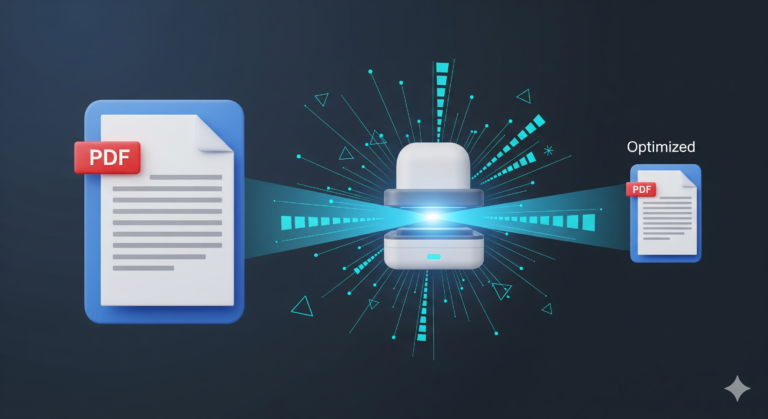
The Smart PDF Compressor is a 100% client-side utility designed to reduce the file size of your PDF documents without ever sending them to a server. By processing files directly in your browser, it ensures maximum privacy for your sensitive data while delivering impressive compression results.
Key Features:
- 100% Privacy Focused: Unlike other tools that require you to upload your files to a cloud server, this app runs entirely on your device using advanced browser technologies. Your confidential documents never leave your computer.
Intelligent Compression Modes:
Light: Maintains high resolution for documents with images, perfect for viewing on large screens.
Balanced: The recommended sweet spot between visual quality and file size reduction.
Extreme: Aggressively reduces size for archiving or sharing via email where limits are tight.
Grayscale Conversion:
- A dedicated mode that converts color documents to black and white, stripping away unnecessary color data for maximum space saving.
Next-Gen Formats:
- Choose between standard JPEG for universal compatibility or WebP for superior compression efficiency.
Quality Preview:
- Not sure which setting to use? The built-in “Preview” feature lets you compare a single page “Before vs. After” instantly, ensuring your text remains readable before you commit to processing the whole file.
Who is this for?
Students & Researchers: Easily compress scanned notes, textbooks, and heavy assignment files to meet university submission portal limits.
Professionals & Freelancers: Optimize portfolios, signed contracts, and annual reports to bypass email attachment size restrictions (e.g., Gmail’s 25MB limit) without losing professional quality.
Web Developers & SEOs: Reduce the footprint of PDF assets (like whitepapers or brochures) hosted on websites to improve page load speeds and Core Web Vitals scores.
Archivists: Save significant disk space when storing thousands of digital documents by stripping away unnecessary high-resolution data from scanned files.
How to use
Upload File: Simply drag & drop your PDF document into the blue upload zone, or click the cloud icon to browse your device.
Choose Settings:
Light: Use this for documents with detailed charts or photos you want to keep sharp.
Balanced (Recommended): The perfect middle ground that reduces file size significantly while keeping text crisp.
Extreme: Use this for maximum reduction when file size is the only priority.
Optional: Toggle “Grayscale Mode” to remove color and save even more space.
Preview & Compress: Click “Preview” to see a side-by-side comparison of a single page to ensure readability. When you are happy, click “Compress PDF”.
Download: Once the progress bar hits 100%, you’ll see exactly how much space you saved. Click “Download PDF” to save your optimized file instantly.
Frequently Asked Questions
1. Is it safe to upload my private documents? Absolutely. In fact, you aren’t “uploading” them at all. This tool works entirely inside your web browser. Your confidential files (like bank statements, contracts, or IDs) never leave your device and are never sent to our servers.
2. Why can’t I select or copy text in the compressed PDF? To achieve maximum compression without complex software, this tool uses a technique called “rasterization.” It converts each page of your PDF into a highly optimized image and then rebuilds the document. This “flattens” the text, meaning it looks the same but behaves like a scanned document.
3. Why did my file size increase instead of decrease? This can happen if your original PDF is already very small or consists almost entirely of plain text (which takes up very little space digitally). Converting simple text into images can sometimes add weight.
Fix: Try switching the compression level to “Extreme” or enabling “Grayscale Mode” to force a reduction.
4. Should I choose JPEG or WebP format?
JPEG: Choose this for maximum compatibility. These PDFs will open on any device or software, no matter how old.
WebP: Choose this for the best possible compression. WebP images are smaller than JPEGs at the same quality, but very old PDF readers might not display them correctly.
5. Is there a file size limit? We don’t enforce a hard limit, but because processing happens on your device, it depends on your computer’s available memory (RAM). We generally recommend files under 50MB for the fastest performance.
6. Does this work on mobile phones? Yes! Because it runs in the browser, you can compress PDFs directly on your Android or iPhone without installing any apps.
7. Can I use this offline? Once the webpage has fully loaded, the compression engine is downloaded to your browser’s temporary memory. You can technically disconnect from the internet and continue compressing files as long as you don’t refresh the page.