
Schema Markup Generator – AI-Ready JSON-LD Creator
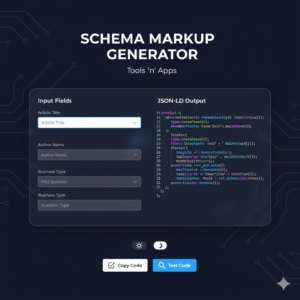
The Schema Markup Generator is a specialized utility that creates structured data in the JSON-LD format. Structured data acts as a “translator” for search engines, helping them understand the specific context of your content (e.g., distinguishing between a product name and a blog title).
By implementing the code generated by this tool, you enhance your chances of appearing in “Rich Results”—those enhanced search listings that include star ratings, FAQ drop-downs, and images—and ensure your site is properly indexed by AI search engines like Google SGE.
Who It Is For
SEO Specialists: To quickly generate error-free code for client websites without needing to write JSON manually.
Content Creators & Bloggers: To ensure their articles and “How-To” guides are eligible for featured snippets.
Small Business Owners: To help Google understand their physical location, opening hours, and services through “Local Business” schema.
Web Developers: To save time when implementing technical SEO requirements on new site builds.
How To Use It
Select Schema Type: Choose the category that matches your page (e.g., FAQ, Article, or Local Business).
Fill in the Details: Enter your information into the dynamic fields. The tool will automatically format it according to Schema.org standards.
Live Preview: Watch the code box on the right update in real-time as you type.
Copy & Paste: Click “Copy Script” to grab the full code block. Paste this code into the
<head>section of your website or use a plugin to insert it into specific pages.Validate: Click the “Test Code” button to open the Google Rich Results Test and verify that your code is 100% valid.
Frequently Asked Questions (FAQs)
Q: Will using this tool guarantee I get a Rich Snippet in Google? A: No tool can guarantee a rich result, as Google’s algorithms decide when to show them. However, providing valid Schema markup is a requirement to even be considered for one.
Q: Where exactly do I paste the generated code? A: The most common location is between the <head> and </head> tags of your HTML. If you use WordPress, you can use a “Header and Footer” plugin or add it to a “Custom HTML” block on a specific page.
Q: Does it matter if I use the Light or Dark mode while generating? A: Not at all! The theme toggle is purely for your comfort. The code generated remains identical and valid regardless of the UI theme.
Q: Why is JSON-LD better than Microdata? A: Google explicitly recommends JSON-LD because it is easier to implement and maintain. It keeps the data separate from your visual HTML code, making your site cleaner and faster.
Q: Is there a limit to how many schemas I can generate? A: No. Like all tools on Tools ‘n’ Apps, this is a free, unlimited utility that processes everything locally in your browser.