Free CSV to JSON Converter
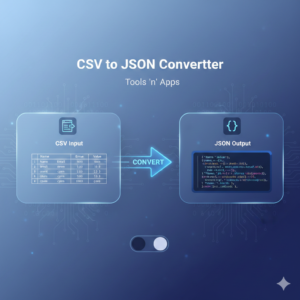
The CSV to JSON Converter is a high-performance, browser-based utility designed to transform Comma Separated Values (CSV) into structured JSON arrays instantly. Unlike many online converters that require a server upload, this tool processes everything locally on the user’s device, ensuring maximum privacy and lightning-fast speeds. It handles complex CSV features like quoted strings, varying line breaks, and automatic data-type detection.
Who It Is For
Web Developers: Quickly convert mock data or content exports into JSON format for use in APIs, JavaScript applications, or NoSQL databases.
Data Analysts: Clean up and restructure spreadsheet data for use in web-based visualization tools.
Product Managers: Convert simple lists into structured data formats to share with engineering teams.
Privacy-Conscious Users: Anyone handling sensitive data who wants a conversion tool that doesn’t send their data to a third-party server.
The tool operates using a “Client-Side Processing” model. Here is the step-by-step technical flow:
Input Capture: The user pastes text into the
<textarea>or uploads a.csvfile via theFileReaderAPI.State-Machine Parsing: Instead of a simple
split(','), the script scans each character. If it encounters a quote ("), it enters a “quoted state” where commas are treated as literal text rather than column breaks.Header Mapping: The first line of the CSV is automatically treated as the “Keys.” Every subsequent line is treated as a “Value” mapped to those keys.
Auto-Typing: The tool checks each value. If a value is purely numeric, it converts it to a
Number. If it istrueorfalse, it converts it to aBoolean. This ensures the JSON is “clean” and not just a collection of strings.Serialization: The final JavaScript object is passed through
JSON.stringifywith a 2-space indentation to make it human-readable in the output box.
Frequently Asked Questions (FAQs)
Q: Is my data stored on your servers? A: No. This tool is built entirely with HTML, CSS, and Vanilla JavaScript. All processing happens within your browser’s memory. Once you close the tab, the data is gone.
Q: Can I convert large CSV files? A: Yes. Since it uses your computer’s local processing power, it can handle thousands of rows. However, extremely large files (50MB+) may cause a brief hang in the browser window while it renders the text.
Q: What happens if my CSV has commas inside the cells? A: Our converter handles this! As long as those cells are wrapped in double quotes (the standard behavior for Excel/Google Sheets exports), the tool will correctly identify them as a single data point.
Q: Does it support different delimiters like semicolons? A: This specific version is optimized for commas. However, if your data uses semicolons (common in some European regions), you can quickly “Find and Replace” semicolons with commas in the input box before hitting convert.
Q: Why is my JSON output showing numbers without quotes? A: This is a feature! The tool detects numbers and converts them to the proper JSON numeric type. This makes the data ready for use in code without needing manual type-casting.