
AI Product Creation Method: Prompt-to-Product Relay System
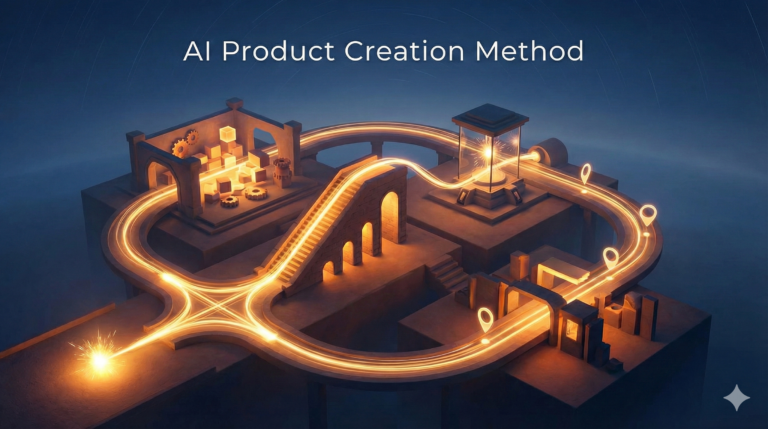
"The AI relay method creates digital products through five connected stages: (1) Filter ideas using friction-based validation to find buyer-ready angles, (2) Build an obstacle ladder outline showing the sequential path to results, (3) Develop sections using demonstrate-then-do patterns with actionable tools, (4) Extract sales copy directly from product structure, and (5) Create follow-up emails mapped to each section. This continuous workflow keeps AI engaged from concept to completion."
You’ve used AI before. Maybe to spark an idea. Maybe to draft something rough—an outline, a concept, a few angles on whatever project was burning a hole in your brain that week.
And it probably delivered. Something decent. Something workable.
But then you hit the wall.
Because “decent” isn’t done. “Workable” isn’t sellable. You still had to figure out how to take those scattered thoughts and turn them into something people would actually pay for. The AI handed you a starting point, sure. But you were back at square one—staring at that blank page, that blinking cursor, trying to figure out how to bridge the canyon between “interesting idea” and “finished product.”
That’s the moment where most people stall out.
They treat AI like a brainstorming buddy. A research assistant you call on when you’re stuck. They use it in bursts—a prompt here, a question there, maybe three different conversations spread across a dozen tabs you’ll never revisit.
Nothing connects. Nothing builds momentum. And when it’s time to pull everything together into a lead magnet, a paid guide, or a sales page that actually converts, they’re doing it alone. The AI helped at the start, maybe. But it didn’t carry them across the finish line.
We’re about to flip that script entirely.
Instead of using AI in disconnected spurts that peter out right when you need them most, you’re going to learn how to run one continuous conversation that takes you from a messy, half-formed idea all the way to a money-making asset. Start to finish. No gaps. No guesswork.
Think of it like a relay race. The AI picks up the baton at the starting line and doesn’t stop running. It stays with you through every leg of the race: ideation, outlining, product creation, sales copy, follow-up emails. It doesn’t drop off after the first lap. It stays in the lane, handling the grunt work while you steer the strategy.
This isn’t about fancy hacks. You’re not going to find some secret phrase that makes AI write better than a human ever could. What you’re going to learn is how to treat AI like a strategic collaborator with a specific role at every stage of the process.
You’ll know exactly what to ask for when you’re validating an idea. What to prompt when you’re building structure. How to guide it when you’re turning an outline into something people actually want to buy.
You’re not handing over control. You’re delegating the heavy lifting so you can focus on the parts that matter—making sure your product works, your copy connects, and your offer converts.
By the end of this system, you won’t be starting from scratch every time you want to create something. You’ll have a repeatable method that turns one conversation into multiple assets, all lined up and ready to sell.
IDEA: From Spark to Sharp Concept
Most people sit down with AI and type something like, “Give me content ideas for my niche.”
And AI does exactly what you asked. It spits out a list of topics. Maybe ten. Maybe twenty.
They all sound reasonable. Some of them might even be interesting.
But here’s the problem: interesting doesn’t pay the bills.
A topic isn’t the same thing as a product angle. And a list of ideas isn’t a strategy.

You end up with a bunch of possibilities and no clear direction. You still don’t know which one is worth your time. You don’t know which one people will actually pay for. You’re stuck in analysis paralysis, scrolling through a list of “maybes” while your competitors are already shipping products.
The first step in the relay method is turning that messy brain dump into something sharp.
You’re not looking for topics. You’re looking for buyer-ready angles. That means three things have to be clear from the start: who this is for, what outcome they’re chasing, and what constraint is stopping them from getting there.
If you can’t define all three, you don’t have a product idea yet. You just have a topic. And topics don’t convert.
Here’s how you fix that.
Start with the brain dump, but don’t stop there. Open up a conversation with AI and unload everything rattling around in your head. Don’t organize it. Don’t filter it. Just get it out.
You might say something like, “I want to create a product about email marketing for small business owners who don’t have a big list yet. I’m thinking about how to write subject lines, or maybe how to get more opens, or how to build a list from scratch without spending money on ads. I also wonder if there’s an angle around using AI to write emails faster.”
That’s messy. That’s normal.
Now you hand it to AI and make it do the work. Here’s a prompt that turns that dump into something you can actually use:
“I just gave you a rough idea. Break it down into 5 specific product angles. For each one, define: (1) the exact audience, (2) the transformation or outcome they want, and (3) the biggest constraint or friction point stopping them right now. Make each angle narrow enough that someone would know instantly whether it’s for them.”
AI will come back with something much tighter. Instead of “email marketing tips,” you might get an angle like: “For service providers with under 500 subscribers who want to book more discovery calls without sounding salesy, but don’t have time to write long nurture sequences.”
That’s specific. That’s something you can build around. You know who it’s for, what they want, and what’s in their way.
But you’re not done yet.
You’ve got five angles now, maybe more. You still don’t know which one is worth building. This is where most people go with their gut. They pick the one that sounds cool or the one they’re personally excited about.
That’s fine if you’re creating for fun. But if you’re trying to make money, you need to filter for friction.
Friction is the difference between an idea people think is interesting and a problem they’re already trying to solve. If someone is actively looking for a solution, they’ve got friction. If they’re just casually curious, they don’t.
Friction equals urgency. Urgency equals buyers.
You want to find the idea where people are already spending money, already searching for answers, already frustrated enough to take action.
Here’s the prompt that surfaces that:
“Look at these 5 angles. For each one, tell me: (1) what someone in that situation is currently doing to try to solve this problem, (2) what they’re spending money on (courses, tools, services), and (3) what’s still not working for them. Rank them by how much active friction exists right now.”
AI will dig into each angle and show you where the money is already moving. Maybe it tells you that service providers with small lists are buying email templates and hiring copywriters, but they’re still not getting responses because they don’t know how to personalize at scale.
That’s friction. That’s a gap you can fill.
Compare that to an angle where people are “interested in email marketing” but not actively trying to fix anything. No friction means no urgency. No urgency means you’ll have to work twice as hard to convince anyone to buy.
Once you’ve identified where the friction is, you’ve got a decision to make. You don’t need to build all five angles. You need to pick one or two that score high on three factors: urgency, profitability, and simplicity.
Urgency means people want it now. Profitability means they’ll pay for it. Simplicity means you can create it without spending six months on research and development.
Here’s the loop that makes this fast. You ask AI to generate ten ideas based on your niche or expertise. Then you make it score each one on those three factors. Then you dig deeper into the top one or two.
It looks like this:
Step one: “Give me 10 product ideas for [your niche or audience]. Make them specific enough that I could build and sell each one in the next two weeks.”
Step two: “Score each idea on a scale of 1 to 10 for urgency (how badly people need this right now), profitability (how much they’d pay for a solution), and simplicity (how fast I could create it). Show the scores in a table.”
Step three: “Take the top 2 ideas and break them down further. For each one, give me: the core promise, the biggest objection I’ll need to handle, and one proof element I could use to make it credible.”
This whole process takes maybe fifteen minutes.
You’re not guessing anymore. You’re not picking ideas based on what sounds fun. You’re letting AI surface the angles that already have demand, already have buyers searching, and already have money moving in that direction.
And once you’ve got your angle locked in, you move to the next leg of the relay.

OUTLINE: Building the Structure That Sells
You’ve got an idea now. It’s sharp. It’s focused. You know who it’s for, what they want, and what’s stopping them.
Most people would jump straight to writing at this point. They’d start filling in sections, cranking out content, hoping it all comes together into something coherent by the end.
That’s a mistake.
Because if your outline is weak, everything built on top of it will be weak too. Your product will feel scattered. Your sales copy will struggle. Your follow-up emails won’t know what to emphasize.
A strong outline doesn’t just organize information. It builds momentum. It creates a path that feels inevitable—like every section is pulling your reader toward the next one.
The structure you’re about to learn is called the obstacle ladder. It’s not a list of topics. It’s a sequence of barriers your audience needs to clear, one at a time, to get to the outcome they want.
Think about it this way. Your audience isn’t buying information. They’re buying progress. They’re stuck at point A and they want to get to point B. But there’s a series of obstacles between those two points. Your product is the roadmap that helps them navigate those obstacles in the right order.
Here’s the prompt that builds that roadmap:
“I’m creating a product about [your angle]. The target audience is [who they are] and they want [the outcome]. List the 5-7 major obstacles or barriers they’ll encounter on the path from where they are now to that outcome. Frame each obstacle as a question or problem they need to solve. Order them from first to last—the sequence someone would naturally face them.”
AI will give you something like this. Let’s say you’re building a guide for freelancers who want to charge higher rates without losing clients. The obstacles might look like:
How do I know if my rates are actually too low or if I’m just being greedy?
What do I say when a client pushes back on my new pricing?
How do I position myself as premium without sounding pretentious?
What if I lose all my current clients when I raise my rates?
How do I attract clients who are willing to pay more in the first place?
What do I do if I quote high and they still try to negotiate me down?
How do I maintain confidence in my pricing when everyone around me charges less?
Each of those obstacles becomes a section in your product. But here’s the key: they’re not random. They’re sequential. Your audience has to clear the first obstacle before the second one even makes sense. They can’t learn how to handle objections if they don’t believe their rates are too low in the first place.
That sequence creates momentum. It makes your product feel like a journey, not a reference manual.
Now you take it one step further. For each obstacle, you’re going to define three things: the core insight that shifts how they see the problem, the action they need to take, and the tool or framework that makes that action easier.
Here’s the prompt for that:
“Take each of these obstacles and expand them into sections. For each section, give me: (1) the mindset shift or insight they need to believe before they can take action, (2) the specific action or decision they need to make, and (3) one tool, template, or framework I can give them that makes that action easier to execute.”
AI might come back with something like this for obstacle #2 (handling pricing pushback):
Mindset shift: Pushback isn’t rejection. It’s just part of the conversation. Clients test boundaries to see if you’re serious about your value.
Action: Use a three-part response script: acknowledge their concern, reframe the value in terms of outcomes, and offer a clear next step that doesn’t involve lowering your price.
Tool: A pricing pushback script template with five variations for common objections.
Now you’ve got a section that doesn’t just explain a concept. It gives them something to believe, something to do, and something to use.
That’s what makes a product feel complete. It’s not just information. It’s transformation packaged as a system.
And here’s the bonus: this outline doesn’t just build your product. It builds your sales copy too. Each obstacle is a pain point you can highlight. Each mindset shift is a benefit you can promise. Each tool is proof that your product delivers.
You’re not creating two separate things. You’re creating one asset that generates everything downstream.
PRODUCT: Turning Outline into Action
You’ve got your outline now. It’s tight. It’s sequential. Every section has a purpose.
But an outline isn’t a product. It’s a blueprint. And most people get stuck right here because they don’t know how to turn strategy into content that actually works.
They write long explanations. They add a lot of theory. They try to sound authoritative. And what they end up with is something that reads like a textbook—informative, maybe, but not actionable.

Here’s what separates a product people use from a product people buy and never touch: the demonstrate-then-do pattern.
Every section should show them how something works, then give them something to do with it immediately. No long wind-ups. No extended preambles. You’re not writing an essay. You’re building a sequence of actions.
Let’s say you’re working on that section about handling pricing pushback. Here’s how most people would write it:
“When clients push back on your pricing, it’s important to stay calm and confident. Remember that objections are a natural part of the sales process. You should view them as opportunities to clarify value rather than threats to your credibility. Many freelancers make the mistake of lowering their prices immediately when they sense resistance, but this undermines your authority and trains clients to negotiate you down in the future.”
That’s explanation. It’s not wrong, but it’s not useful yet. The reader finishes that paragraph and still doesn’t know what to do. They’ve absorbed the concept, but they don’t have a move to make.
Here’s the demonstrate-then-do version:
“When a client says your rate is too high, here’s what you say: ‘I hear you. Let me break down what’s included so you can see where the value is.’ Then list three outcomes they’ll get from working with you, not three tasks you’ll complete. End with: ‘If you’d like to move forward, let me know and I’ll send the agreement. If not, no problem—I’m happy to recommend someone who might be a better fit for your budget.’
Now try this: Open your last proposal where someone pushed back on pricing. Rewrite your response using that three-part structure. Acknowledge, reframe in outcomes, offer a next step. Keep it under 100 words.”
See the difference?
The first version explained a principle. The second version demonstrated the principle, then gave them a specific task to complete. That’s what turns information into implementation.
Here’s the prompt that generates that for every section:
“Take Section [X] and rewrite it using the demonstrate-then-do pattern. Start by showing a concrete example or demonstrating the exact process. Keep the explanation under 150 words. Then immediately follow with a ‘Now try this’ prompt that tells them exactly what to do with what they just learned. Make the action specific, short, and completable in under 10 minutes.”
AI will rewrite each section in that format. You’re not drowning your reader in theory. You’re giving them small wins they can stack.
And here’s why that matters: people buy products to make progress, but they only finish products that make them feel progress. If your product sits in their downloads folder untouched, it doesn’t matter how good the information is. They didn’t get results. They won’t buy from you again. And they definitely won’t tell anyone else about it.
But if your product makes them do something in the first ten minutes, they’re invested. They’ve started. And starting is the hardest part.
Now let’s talk about tools.
Every section should end with a tool, a template, or a framework they can use right away. Not an example. Not a suggestion. An actual asset they can copy, customize, and deploy.
If you’re teaching them how to handle pricing objections, give them five different response scripts they can copy-paste and adjust. If you’re teaching them how to qualify leads, give them a checklist they can run through on every sales call. If you’re teaching them how to write better proposals, give them a fill-in-the-blank template.
Here’s the prompt that builds those tools:
“For Section [X], create a practical tool or template the reader can use immediately. Make it copy-paste ready. If it’s a script, include 3-5 variations for different scenarios. If it’s a framework, keep it to one page with clear steps. If it’s a checklist, limit it to 7-10 items.”
AI will generate something you can drop directly into your product. No theory. No fluff. Just a tool they can use today.
And here’s the pattern you’re following for every single section:
Demonstrate: Show them how it works with a concrete example or short explanation (under 150 words)
Do: Give them a specific action they can complete in under 10 minutes
Tool: Provide a template, script, or framework they can use right away
That’s it. That’s the entire product structure.
You’re not writing long chapters. You’re not burying insights in paragraphs of setup. You’re giving them a clear path from “I understand this” to “I did this” to “I have something I can use again later.”
And when you build a product this way, something interesting happens: your sales copy practically writes itself. Because every section is a promise. Every tool is proof. Every action is a result they’ll get before they even finish the product.
You’re not selling information. You’re selling momentum. And people will pay for that every single time.

COPY: Extracting the Sales Message from the Product
Most people write their sales copy before they build the product. Or they write it after, but they’re starting from scratch, trying to remember what they put in there and hoping they can make it sound appealing.
Both approaches are backwards.
Your sales copy shouldn’t be invented. It should be extracted. Because if your product is built the way we just covered—clear obstacles, actionable sections, real tools—then your sales message is already sitting inside it. You just need to pull it out.
Here’s the shift: your product is the proof. Your sales copy is the preview.
Every section in your product solves a specific problem. Your sales copy highlights those problems and shows how your product addresses them. Every tool you included is evidence that your product delivers. Your sales copy names those tools and explains why they matter.
You’re not creating something new. You’re translating what you already built into a format that makes people want to buy it.
Start with the obstacles. Remember, your product is structured around the barriers your audience needs to clear. Those barriers are pain points. And pain points are where sales copy begins.
Here’s the prompt that turns obstacles into copy:
“Look at the 7 obstacles from the outline. For each one, write a short pain point statement that makes someone in that situation feel seen. Keep each statement under 30 words. Make it specific enough that they’ll think, ‘Yes, that’s exactly my problem.’”
AI will give you something like:
You’ve been charging the same rates for two years, and you know you’re underpriced, but you’re terrified that raising them will scare off the clients you already have.
A client pushed back on your quote last week, and instead of holding your ground, you dropped your price by 20% and regretted it immediately.
You see other freelancers charging twice what you do, and you don’t understand what they’re doing differently.
Those aren’t generic problems. Those are real situations your audience has lived through. And when they read that, they feel understood. That’s what opens the door.
Now you pair each pain point with the corresponding section from your product. The pain point shows them the problem. The section shows them the solution.
Here’s the prompt for that:
“Take each pain point and pair it with the section that addresses it. Write a benefit statement that shows what changes after they complete that section. Keep it under 40 words. Focus on the outcome, not the process.”
AI might give you:
Pain point: You’ve been charging the same rates for two years, and you know you’re underpriced, but you’re terrified that raising them will scare off the clients you already have.
Benefit: You’ll have a clear pricing structure that reflects your actual value, and a step-by-step plan for rolling out your new rates without losing the clients you want to keep.
That’s the core of your sales copy right there. You’ve identified the problem and shown them what their life looks like after your product solves it. You’re not making empty promises. You’re describing the exact transformation your product delivers.
Now let’s talk about tools.
Your product is full of templates, scripts, frameworks, and checklists. Those aren’t just nice-to-haves. They’re proof that your product is actionable. People don’t buy information anymore. They buy systems. And tools are what make a system feel real.
Here’s the prompt that turns your tools into copy:
“List every tool, template, and framework included in the product. For each one, write a one-line description that explains what it does and why it matters. Keep it concrete—focus on the outcome it produces, not just what it is.”
AI will give you:
Pricing Pushback Script: Five ready-to-use responses for when clients question your rates—so you never drop your price out of panic again.
Rate Rollout Timeline: A week-by-week plan for communicating your new pricing to existing clients without burning bridges.
Premium Positioning Checklist: Seven ways to signal high value in your proposals, portfolio, and client communication.
See how those aren’t just listed as features? Each one is tied to a specific outcome. That’s what makes them compelling.
Now you’ve got three pieces:
Pain points that make people feel understood
Benefit statements that show what changes
Tools that prove your product delivers
String those together and you’ve got your sales page.
But you’re not done yet. Because there’s one more element that turns interest into action: the objection stack.
Every product has objections. Your audience is thinking them right now. “I don’t have time.” “I’ve tried stuff like this before.” “What if it doesn’t work for my situation?” “Is this really worth the price?”
Most people try to ignore objections or bury them in an FAQ at the bottom of the page. That’s a mistake. Objections are where the sale happens. If you can anticipate and address them before they become reasons not to buy, you close the gap.
Here’s the prompt that surfaces those objections:
“Based on the product and the audience, what are the 5 most common objections someone would have before buying? For each objection, write a short response that acknowledges their concern and reframes it. Keep each response under 50 words.”
AI might give you:
Objection: I’ve tried raising my rates before and lost clients. Why would this be any different?
Response: You lost clients because you didn’t have a strategy for the rollout. This guide gives you a week-by-week plan for communicating your new rates in a way that keeps your best clients and attracts better ones.
Objection: I don’t have a big portfolio or years of experience. Can I really charge premium rates?
Response: Premium rates aren’t about how long you’ve been working—they’re about how you position yourself and the results you deliver. This guide shows you how to frame your value even if you’re early in your career.
Now you weave those into your sales page. You’re not hiding objections. You’re putting them front and center and showing people why they’re not deal-breakers.
Here’s what your sales structure looks like now:
Hook: A pain point that makes them feel seen
Promise: The transformation your product delivers
Proof: The tools and outcomes included in the product
Objections: The concerns they have and why they don’t apply here
Call to action: What happens next if they buy
That’s a complete sales page. And you didn’t invent any of it. You extracted it from the product you already built.
Here’s the prompt that assembles everything:
“Using the pain points, benefit statements, tools, and objection responses we’ve created, write a sales page for this product. Structure it as: Hook (pain point), Promise (what changes), Proof (tools and outcomes), Objections (address the top 3), and Call to Action. Keep the tone conversational and direct. Aim for 800-1000 words total.”
AI will draft the full sales page. You’ll tighten the tone, add your voice, maybe rearrange a few sections. But the foundation is there. And it’s based entirely on what your product actually delivers, not on what you wish it delivered or what you think sounds impressive.
That’s how you write sales copy that converts. You don’t start with hype. You start with your product. And you let the product sell itself.
FOLLOW-UP: Turning Buyers into Users
Someone just bought your product. That’s the win, right?
Not yet.
Because if they buy it and don’t use it, you’ve got a one-time customer, not a repeat buyer. They didn’t get results. They didn’t get transformation. And when you launch your next product, they’re not going to be in line to buy it.
The real win isn’t the sale. It’s the moment they finish your product and realize it actually worked. That’s when they trust you. That’s when they’re ready for the next offer.
But here’s the problem: most people buy with great intentions and then never open the file. Life gets busy. The initial excitement fades. And your product sits in their downloads folder collecting digital dust.
Your job isn’t done when they buy. Your job is to make sure they use what they bought. And that happens in the follow-up.
Most people write follow-up emails like this: “Hey, just checking in! How’s the guide going? Let me know if you have any questions!” That’s nice. It’s also completely useless. Because it doesn’t tell them what to do next. It doesn’t remind them why they bought it in the first place. It’s just noise.
Here’s the shift: your follow-up sequence should map directly to your product structure. Every email corresponds to a section. Every email has one job: get them to complete that section and move to the next one.
You’re not checking in. You’re guiding them through.
Let’s say your product has seven sections. Your follow-up sequence has seven emails. Email 1 reinforces why they bought and tells them to complete Section 1. Email 2 acknowledges they probably finished Section 1 (or didn’t, and that’s okay) and tells them what’s in Section 2. Email 3 does the same for Section 3. And so on.
Here’s the prompt that builds that sequence:
“I have a product with 7 sections. Each section addresses a specific obstacle and includes an action step and a tool. Write a 7-email follow-up sequence where each email: (1) corresponds to one section, (2) reminds them why that section matters, (3) tells them exactly what to do next, and (4) acknowledges that progress isn’t linear—it’s okay if they skipped ahead or fell behind. Keep each email under 200 words. Make the tone warm but direct.”
AI will draft the sequence. Let’s look at what Email 3 might say. The section is about handling pricing pushback, and the tool is a response script.
“You’re three days into this, and I’m guessing you’ve hit one of two scenarios: either you’ve already used the pricing pushback script and it worked, or you read through it and you’re waiting for the right moment to test it.
Both are fine. This isn’t a race.
But here’s the thing: the script only works if you actually use it. And the best time to use it is when you’re least confident in your pricing. That’s when you need it most.
So if you haven’t had a chance to try it yet, here’s what I want you to do. Open the script. Pick the variation that matches the last objection you got from a client. Customize it so it sounds like you. And keep it ready. Because the next time someone pushes back, you’re not going to wing it. You’re going to use the script.
And if you’ve already used it? I want to hear how it went. Just hit reply and tell me what happened. The good, the bad, the awkward. I read every response.
Tomorrow we’ll talk about positioning yourself as premium without sounding pretentious. See you then.”
That email has one job: get them to use the tool from Section 3. It’s not long. It’s not complicated. It just tells them what to do next and makes it feel manageable.
Now let’s talk about the psychology of these emails.
People don’t engage with content because it’s good. They engage because it meets them where they are. And where they are is messy. They’re busy. They’re distracted. They started your product with momentum and then life happened.
Your follow-up emails need to normalize that. You’re not scolding them for falling behind. You’re not pretending everyone moves at the same pace. You’re acknowledging that progress is uneven and giving them a clear next step anyway.
Here’s the prompt that makes that happen:
“Rewrite each email in the follow-up sequence to include a short acknowledgment that the reader might not be where they ‘should’ be. Frame it positively—they might have skipped ahead, or they might have paused, and both are fine. Then redirect them to the current section without making them feel guilty. Keep the acknowledgment under 30 words.”
AI will add lines like:
“Maybe you’ve already moved ahead to Section 5. Maybe you’re still sitting with Section 2. Doesn’t matter. Here’s what Section 3 covers when you’re ready for it.”
“You might have breezed through the first four sections, or you might still be on Section 2. Totally fine. This email is about Section 5.”
That small shift makes a huge difference. People don’t feel behind. They feel like the product is flexible enough to meet them wherever they are. And that keeps them engaged.
Now let’s talk about soft pivots.
Your follow-up sequence isn’t just about getting people to finish the product. It’s about setting up the next sale. But you can’t just drop a pitch in the middle of your support emails and expect it to land. That feels jarring. It breaks trust.
Instead, you make soft pivots. You mention a related product, upgrade, or tool in a way that feels like a natural next step, not a sales pitch.
Here’s the prompt that generates those:
“Look at the email sequence. For each email, suggest one soft pivot where I could mention a related product, upgrade, or affiliate tool that makes the section they just worked through easier or more effective. Frame it as a natural next step, not a pitch.”
AI might give you:
Email 2 (Pricing structure section): Mention a pricing calculator tool that automates the math and helps them test different rate scenarios.
Email 5 (Premium positioning): Offer an upgrade that includes 15 additional case study templates for different industries.
Email 6 (Confidence in pricing): Suggest a related guide about attracting higher-paying clients so they’re not just raising rates—they’re also upgrading their client base.
Now you’ve got a sequence that supports them through the product and positions the next offer without feeling pushy. Each pivot ties to something they just did. It’s relevant. It’s timely. And it feels helpful, not salesy.
Here’s an example of what that looks like in Email 5. They just worked through the premium positioning section. The email acknowledges that win, then introduces the upgrade:
“If you used the positioning checklist this week, nice work. That’s the kind of small shift that adds up fast. And if you found yourself wishing you had more examples of how to frame your work for different types of clients, I’ve got something that might help.
The Case Study Library includes 15 templates for every major industry—so you’re not starting from scratch every time you need to show results. Same positioning framework, just more coverage. If you want it, it’s here: [link]. If not, no worries. You’ve already got the core tools.”
That’s a soft pivot. It’s not a hard sell. It’s not manipulative. It’s just pointing out that if the thing they just did was useful, there’s more of it available. Some people will take it. Some won’t. But you gave them the option at exactly the right moment.
And here’s the other benefit of this approach: you’re not burning your list with random pitches. Every email is useful whether they buy the upgrade or not. They’re getting value. They’re making progress. And when you do mention something else, it’s relevant to what they’re already working on.
That keeps your open rates high. That keeps people engaged. And that means when you launch something new, they’re still paying attention.
One more thing. Email 7 is your pivot email. This is where you transition from “here’s how to use the product” to “what’s next now that you’ve got this handled.” It’s part recap, part invitation. You’re celebrating their progress, then showing them the next level.
Here’s the prompt for that:
“Write Email 7 as a transition email. Recap the wins they’ve had if they followed the sequence, acknowledge that some people got further than others, and introduce the next logical product or step as the natural continuation. Keep it warm and conversational, not pushy. Under 250 words.”
AI gives you:
“It’s been three weeks since you picked up the guide, and if you’ve been following along, you’ve probably made some real progress. Maybe you raised your rates using the rollout plan and didn’t lose a single client you wanted to keep. Maybe you used the pushback script and a client actually respected your boundaries. Maybe you repositioned yourself as premium and started attracting better leads.
Not everyone gets through everything at the same pace, and that’s fine. The guide isn’t going anywhere. But if you’re at the point where you’ve locked in your pricing and you’re ready for the next step, here’s what I’d suggest: now that you’re charging what you’re worth, it’s time to make sure you’re attracting clients who can actually afford it.
I just put together a short guide on finding and qualifying premium clients—the kind who respect your rates, value your expertise, and don’t nickel-and-dime you on every detail. It’s the natural next step after this one. If you’re interested, check it out here: [link].
And if you’ve got a win to share or you’re stuck on something, just hit reply. I’d love to hear where you’re at.”
That’s the whole sequence. You guided them through the product. You pulled them back in when they stalled. You made soft pivots to related offers. And you ended with a warm invitation to the next step.
No hype. No pressure. Just a clear path from where they were to where they’re going.
And the best part? You didn’t have to invent any of this. AI built the sequence based on the product you already created. You just directed it, tightened the tone, and made sure every email had a job.
Now you’ve got a follow-up system that actually works. People use your product. They get results. And when you’ve got something else to sell, they’re ready to listen.
Solidifying the Relay System
You just walked through a complete system. Idea to outline. Outline to product. Product to sales copy. Sales copy to follow-up sequence.
And all of it happened in one continuous conversation with AI, not scattered across a dozen tabs and half-finished drafts that never connect.
That’s the shift.
You’re not using AI as a brainstorming tool that leaves you stranded after the first round of ideas. You’re not asking it to write random sections while you try to stitch everything together later.
You’re running a relay where AI carries the baton from start to finish, and you’re directing every handoff. The idea informs the outline. The outline shapes the product. The product writes the sales copy. The sales copy builds the follow-up emails.
Everything aligns around one promise, one audience, one clear result.
And here’s what makes this different from the way you’ve probably been working: it’s reusable.
This isn’t a one-time process you stumbled through and hoped worked. It’s a method.
Every new idea you want to turn into a product runs the same relay. You start with the friction filter. You build the obstacle ladder. You use the demonstrate-then-do pattern. You extract the sales message from the product. You map the follow-up sequence to the sections.
The steps don’t change. The prompts don’t change. You just plug in a new concept and let the system do what it’s designed to do.
That means your AI output gets more consistent. You’re not reinventing your process every time you sit down to create something. You know exactly what to ask for at every stage. You know what good output looks like. And you know how to tighten it, edit it, and make it sound like you.
The more you run this relay, the faster it gets. What used to take weeks now takes days. What used to feel overwhelming now feels manageable.
And the payoff isn’t just speed. It’s clarity.
You’re not wrestling with blank pages anymore. You’re not staring at an outline wondering if it makes sense. You’re not writing sales copy and hoping it matches the product.
You’re building assets that already have a through-line. The idea is sharp because you filtered for friction. The outline is strategic because it’s built around obstacles. The product is actionable because it’s full of tools. The sales copy is honest because it’s pulled from the product. The emails work because they’re tied to the content.
You’ve got a system now.
Use it.
Every time you have an idea worth turning into an asset, run it through the relay. Let AI do the heavy lifting. You stay in the director’s chair. And you’ll end up with products that sell, deliver, and set up the next sale without you starting from scratch every single time.
Products / Tools / Resources
If you’re ready to implement this relay method, here are the tools that’ll make the process smoother:
AI Platforms: Claude (Anthropic), ChatGPT (OpenAI), or any AI assistant that maintains conversation context across long sessions. You need something that remembers the full thread from idea to final product.
Prompt Libraries: Keep a swipe file of the core prompts from this system. Store them in a notes app or document so you’re not rewriting them every time you start a new product.
Email Automation: ConvertKit, MailerLite, or ActiveCampaign for setting up your follow-up sequences. Most have free tiers that’ll work fine when you’re starting out.
Document Creation: Google Docs for drafting and collaboration, or Notion if you want everything in one workspace. Keep your outlines, product sections, and sales copy in the same place so you can cross-reference easily.
Payment Processing: Gumroad or Lemon Squeezy for selling digital products. Both handle the checkout, delivery, and tax stuff so you can focus on creation.
Landing Page Builders: Carrd for simple single-page sales pages, or Leadpages if you want more customization. Don’t overthink this—a clean page with your sales copy and a buy button is all you need.
Productivity Stack: Todoist or Notion for tracking where you are in the relay process. Break each stage into discrete tasks so you always know what comes next.
The method matters more than the tools. Start with what you already have, and upgrade only when you hit a real bottleneck.